Art Vision Connect Book a demo Start free

Product · Maintenance CRM

Every maintenance job.
One place.

Requests from Gmail, your buildings on a map, booked visits, quotes for council and live updates from site. A free workspace for property managers, connected straight to Art Vision’s team.

Free for property managers · No credit card · Sign in with Google

avconnect.io/app
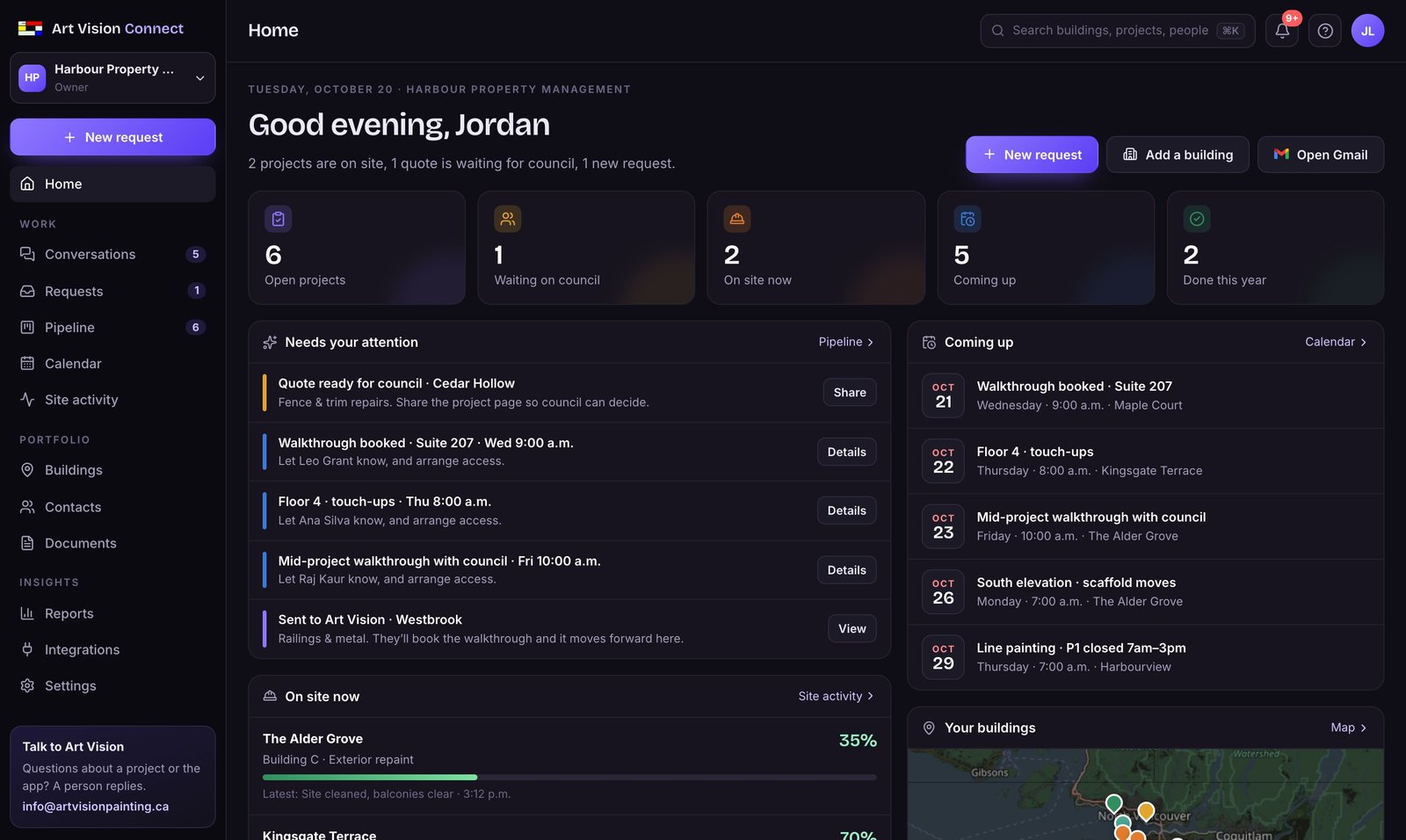
The Connect home screen: open projects, what needs your attention, visits coming up and your buildings on a map
Freefor property managers
5 minto set up your buildings
1 clickto request work from Art Vision
Canadawhere your data is stored

WHAT’S INSIDE

Everything you’d otherwise keep in a spreadsheet and ten email threads.

Each part below is in the free account today. Open it, add a building, and see.

HOME

Know what needs you this morning.

A short list of what’s waiting on you, what’s on site, and who’s coming when. Quotes ready for council are at the top, with a button to share them.

  • Open projects, on site now, coming up
  • “Needs your attention” with one action each
  • A setup checklist for your first five minutes
Home dashboard

CONVERSATIONS

Talk to the painters, per project.

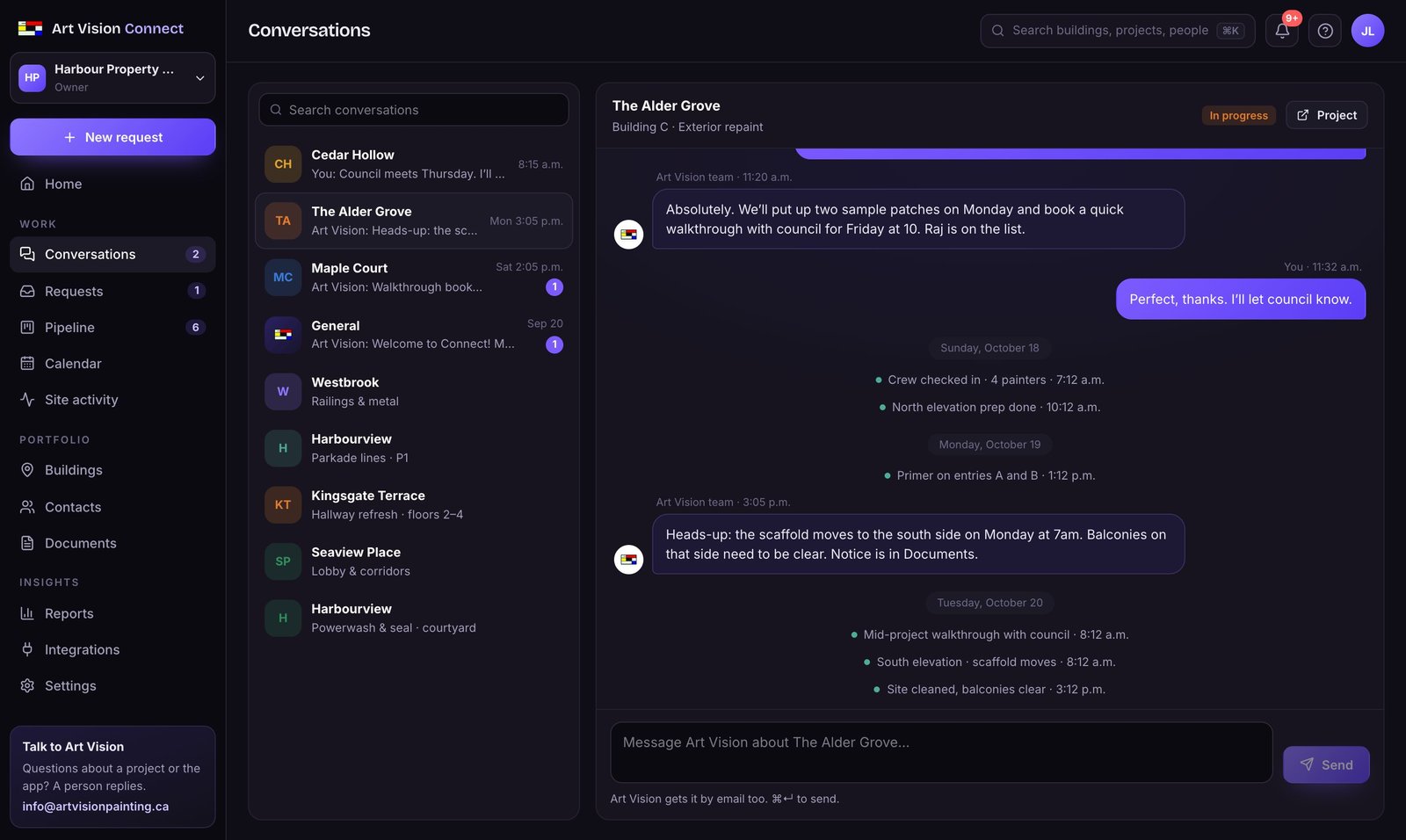
Message Art Vision about any project, right where it lives. Site updates appear between the messages, and replies reach your team by email too. More

  • One thread per project, plus a general one
  • Email when Art Vision replies
  • Unread counts in the menu
Conversation with Art Vision about a project

BUILDINGS

Type the address. It’s on your map.

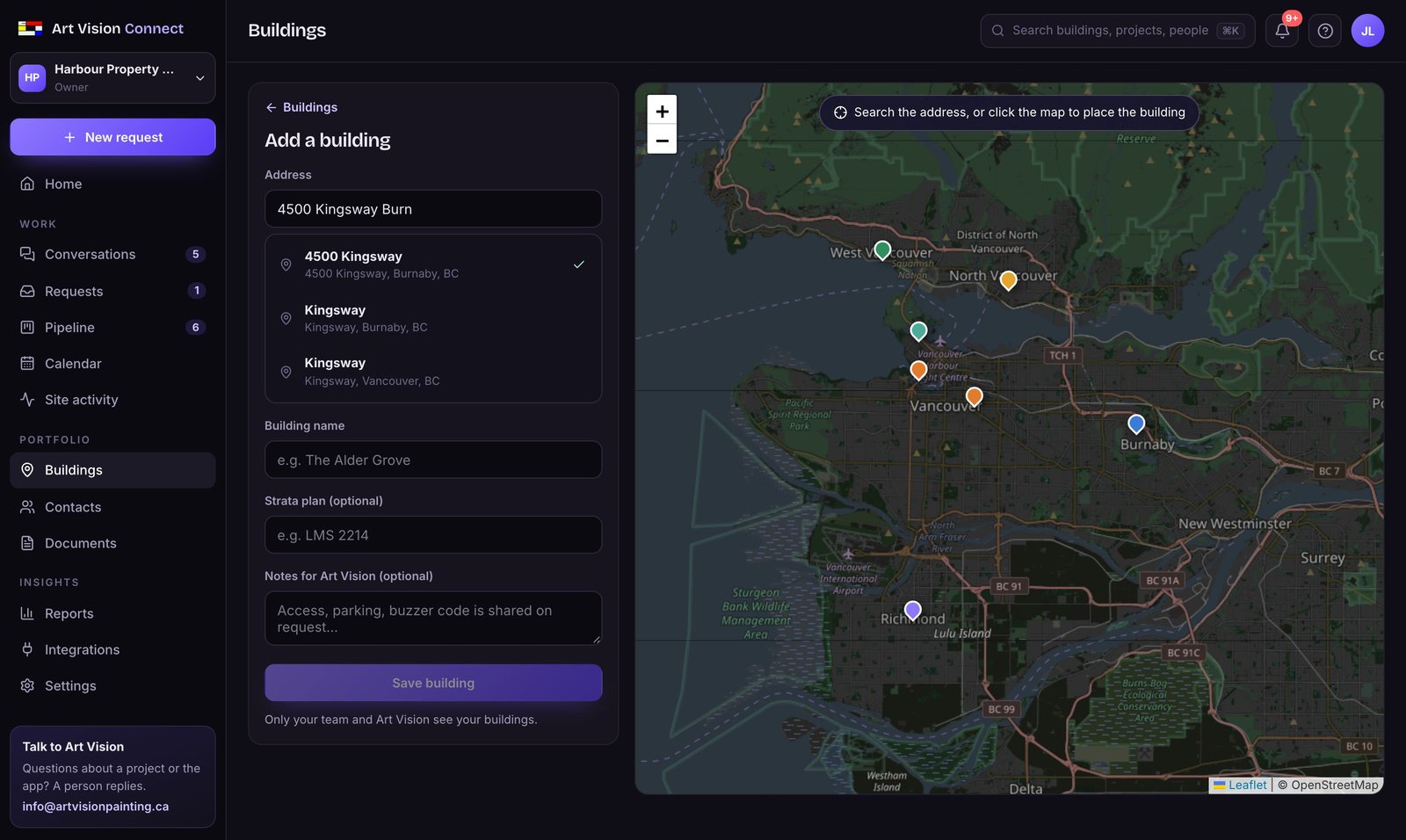
Add a building by its civic address, checked against BC’s official address register, and the pin lands on the map right away. Drag it to the right entrance if you need to. Every building keeps its projects, people and notes.

  • Exact BC addresses, strata plan and notes
  • Projects and contacts per building
  • “Request work from Art Vision” on every building
Adding a building by address, with suggestions and the map

REQUESTS

Every request, wherever it started.

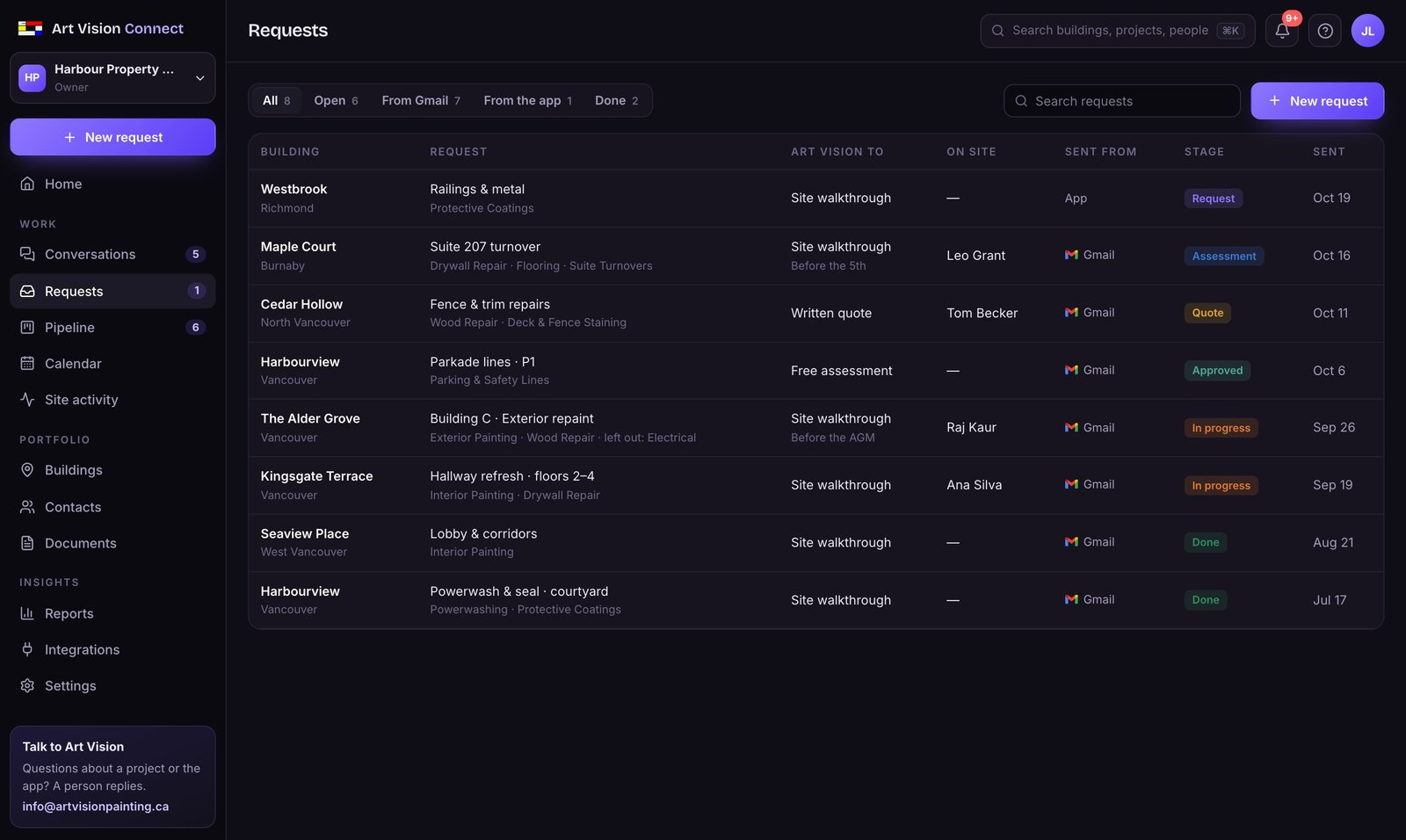
Requests you send from Gmail with Connect, and ones you create in the app, land in one inbox. You see what Art Vision is coordinating, who meets us on site, and which trades were left out because they aren’t ours.

  • From Gmail or from the app
  • Assessment, quote or walkthrough
  • Search by building, service or person
Requests inbox

CONTACTS

The right person, one click away.

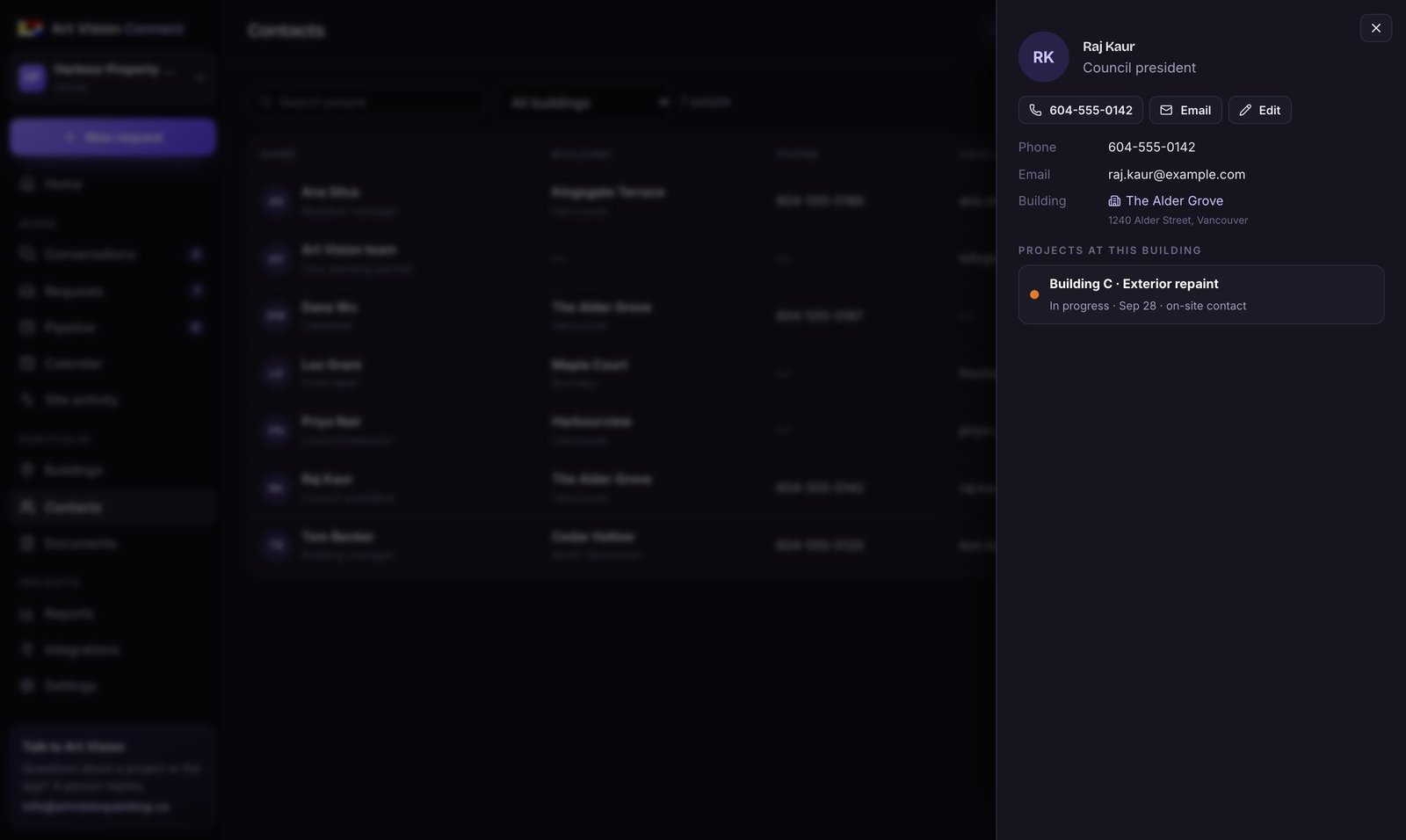
Council, caretakers and on-site people with each building: phone, email and notes. Call or email in one click, import your list from a spreadsheet, and pick who meets the crew when you request work. More

  • A page per person with their projects
  • Import and export CSV
  • On-site contact sent with each request
A contact's profile

PIPELINE

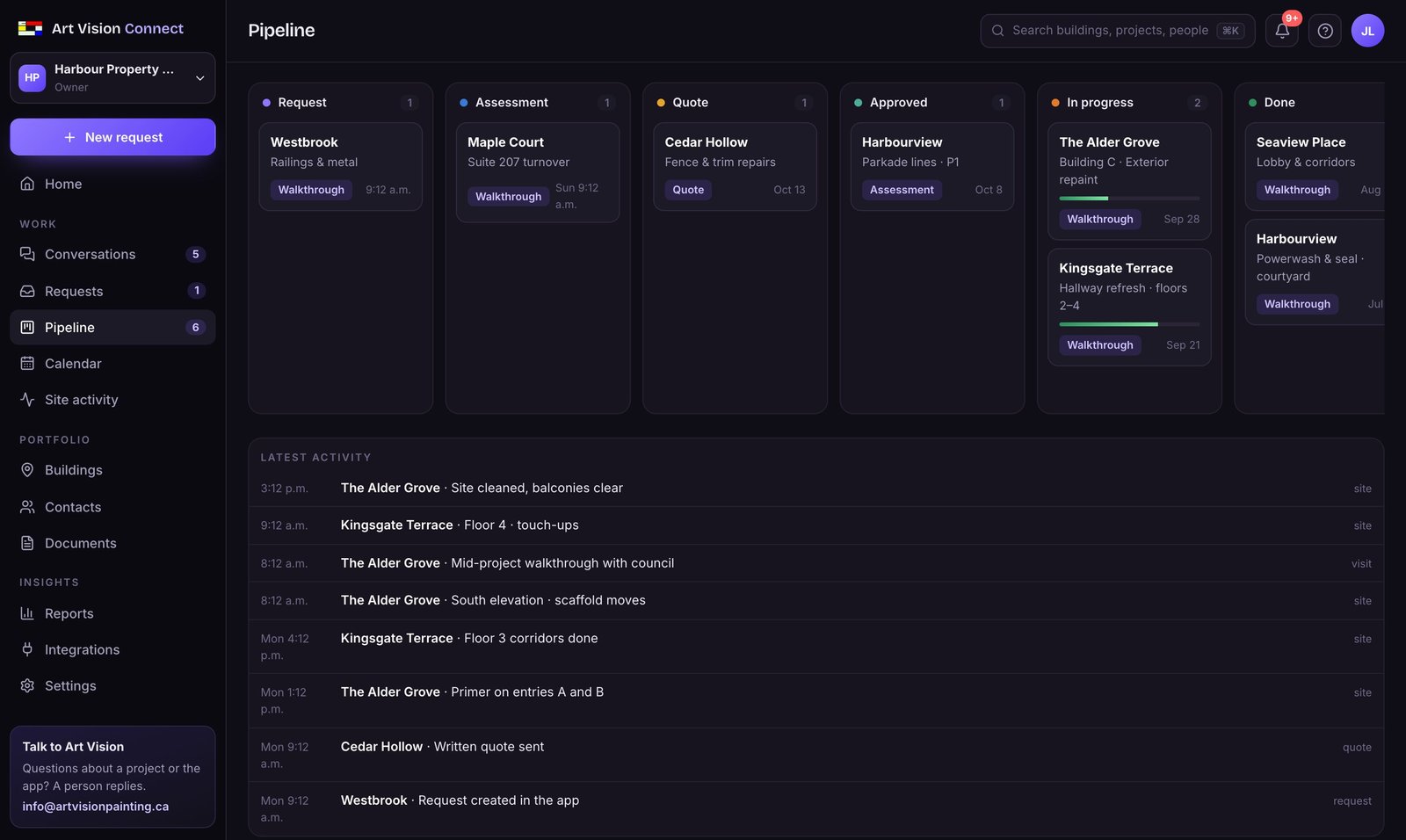
Request to done, at a glance.

Each project moves from request to assessment, quote, approval, work and done. Art Vision moves it forward as things happen, so the board is current without you updating it.

  • Six stages, the way maintenance work actually runs
  • Progress while crews are on site
  • Every change added to the project’s history
Painting pipeline board

PROJECT PAGES

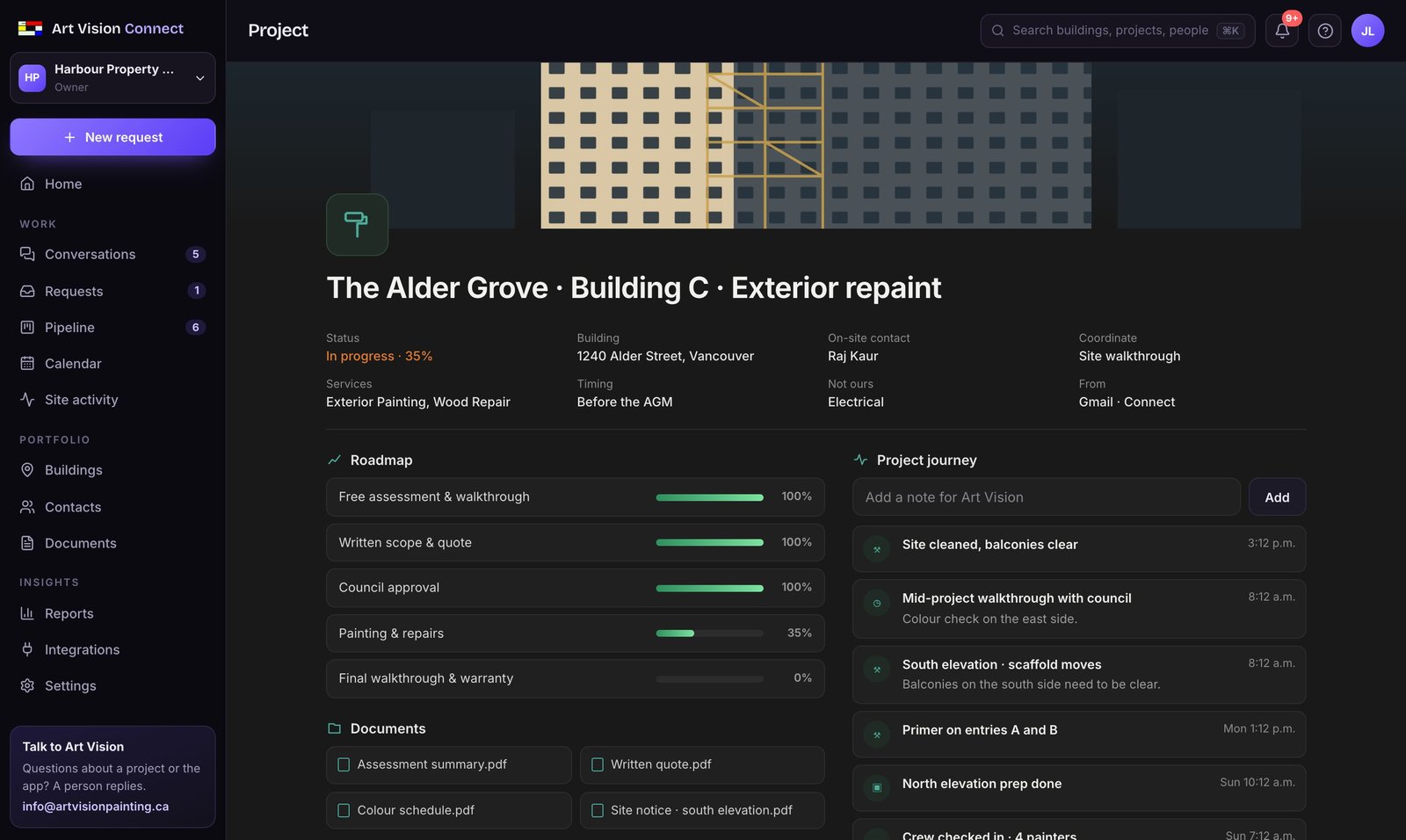
A page council can actually read.

Roadmap, status, documents and what happened on site, on one page. Share it with council by link. They don’t need an account, and they see only that project.

  • Roadmap from assessment to warranty
  • Quotes, colour schedules, notices, warranties
  • Read-only council link in one click
Project page with roadmap, documents and project journey

CALENDAR

Who’s coming, and when.

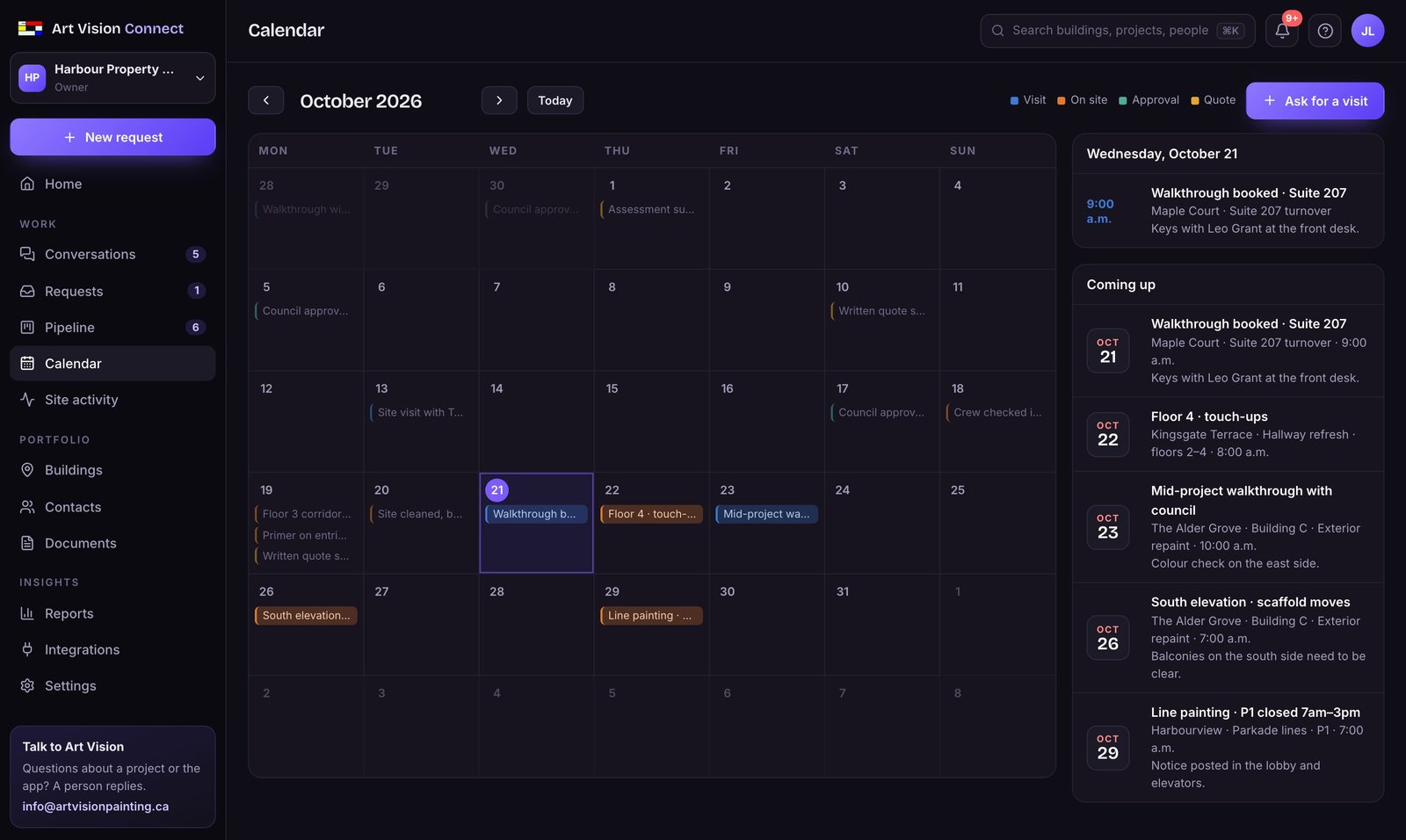
Walkthroughs and work days Art Vision books show on your calendar with the note you need: who has the keys, which parkade level closes, what residents should know.

  • Visits and work days by month
  • Coming up, with access notes
  • Ask for a visit from the calendar
Calendar of visits and work days

REPORTS

Numbers from your own projects.

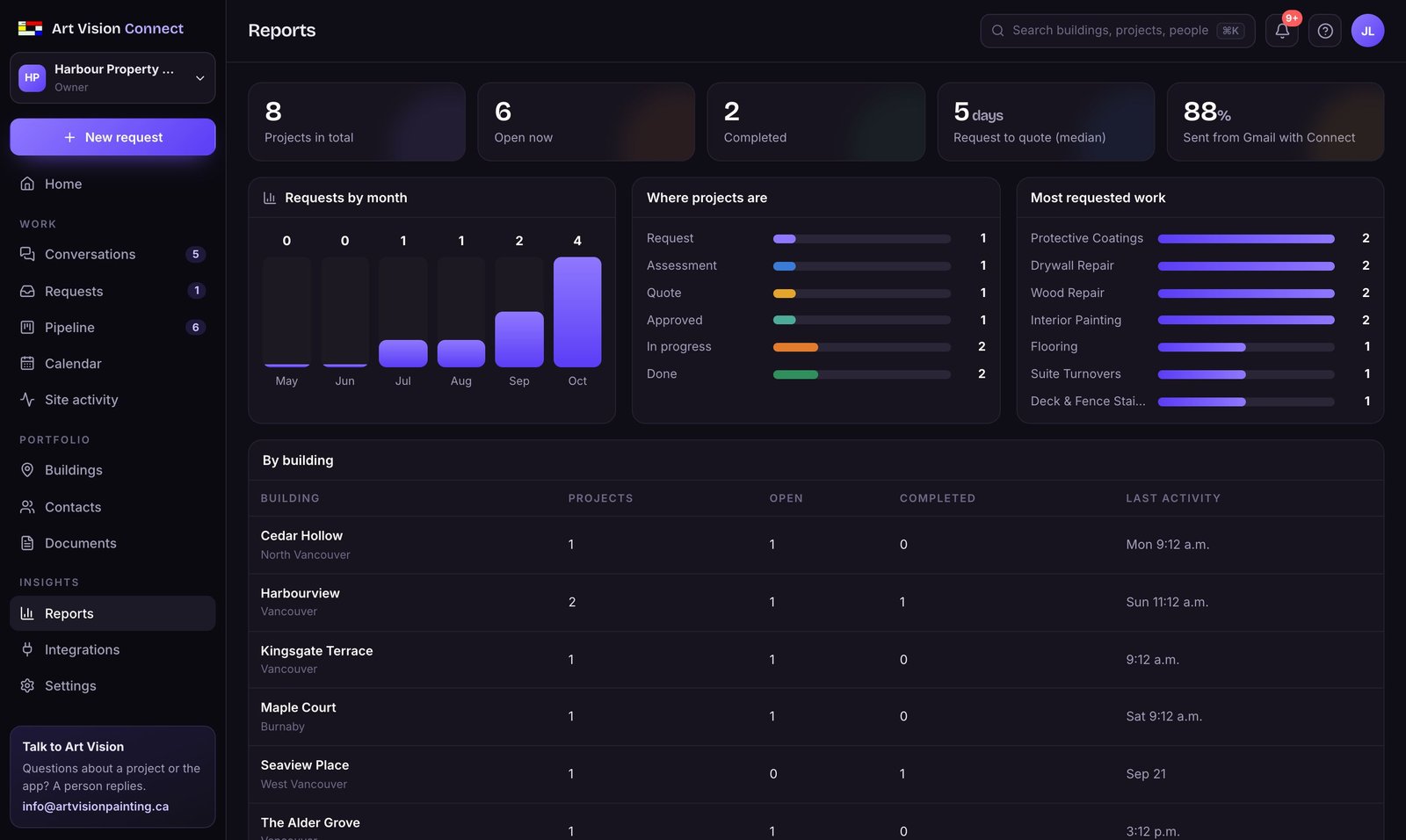
Requests by month, where projects stand, most requested work, each building’s history, and how long it takes from request to quote. Export everything to a spreadsheet when the board asks.

  • Calculated from your data, nothing estimated
  • By building and by service
  • CSV export for Excel or Google Sheets
Reports

ALSO INCLUDED

The rest of the toolkit.

Contacts

Council, caretakers and on-site people by building. People named in your requests are suggested for you.

Documents

Every quote, assessment, notice and warranty across your buildings, sorted by type.

Site activity

Crew check-ins, progress and clean-up notes as they’re posted, day by day.

Team

Invite other managers by email. Owner, manager or viewer, everyone sees the same buildings.

Search & updates

Find any building, project or person with ⌘K. A bell shows what changed since you last looked.

Private by default

Each company sees only its own data, stored in Canada. No passwords to manage: Google or an email link. Security

CONNECTED TO ART VISION

A CRM where the work actually gets done.

Other tools help you track work. This one sends it to the team that does it.

You request work

From a Gmail thread with Connect, or from a building in the app. Choose a free assessment, a written quote or a walkthrough.

Art Vision books it

Our team gets the request by email with you as reply-to, books the visit, and it shows on your calendar.

You follow it to done

The quote, council approval, crew on site and the final walkthrough, each one added to the project as it happens.

GET STARTED

Two ways to start.

Both are free for property managers. No credit card, no contract.

START FREE · ABOUT 5 MINUTES

Open your maintenance CRM.

Sign in with Google or your work email, add your buildings by address, and link Gmail. Your next request lands in your pipeline.

  • Buildings on a map, with every project
  • Requests, pipeline, calendar and documents
  • Project pages to share with council

BOOK A DEMO · 20 MINUTES

See it with your buildings.

A short call with our team. We walk through Connect in Gmail and set up your workspace with you, using a real thread if you have one.

  • Video call, or we come to your office
  • Your buildings added during the call
  • Bring questions about a current project

A FEW THINGS TO KNOW

Good questions.
Clear answers.

What is Art Vision Connect?

A Chrome extension that sits beside Gmail. It turns one email thread into a clear maintenance request for Art Vision Painting & Restoration, sent only with your approval.

Is it free?

Yes. Connect is free for Metro Vancouver property managers. Painting work is quoted in writing before anything starts.

Does it read my whole inbox?

No. Only the thread you open, and only when you press Prepare Request.

Does it send emails on its own?

No. Nothing is sent until you click Approve & Send.

What happens after I send?

Our team replies to you directly and books what you chose: a free assessment, a written quote or a site walkthrough, with the on-site contact you picked.

What if part of the request isn’t painting?

Connect flags trades we don’t offer, such as electrical or roofing, and leaves them out of the request. Requests that aren’t about painting at all aren’t turned into painting leads.

Which email works?

Gmail in Chrome today. Outlook is next; tell us if your team uses it.

What does Art Vision see?

Only the request you approve.
One less thing to manage.

Your next painting request is already sitting in a thread.